WordPress VPS hosting offers numerous advantages. It combines the power of virtual private servers with the flexibility of WordPress. However, optimal performance is not always guaranteed. Many users face challenges that can slow down their websites.
In this guide, we explore essential tips to enhance your WordPress VPS hosting performance. From tweaking settings to optimizing resources, a few small changes can lead to significant improvements. It's common to overlook simple configurations that can boost speed and reliability.
Understanding these tips can mean the difference between a fast site and a sluggish one. As you dive into optimization, remember that every detail matters. Strive for a balance between performance and ease of use. The journey may not always be easy, but the rewards are worth the effort.
VPS hosting offers distinct advantages for WordPress performance. It provides dedicated resources, ensuring your website runs smoothly even during traffic spikes. With virtual private servers, you have more control over your environment. This control allows for tailored configurations to enhance speed and security.
Managing a VPS requires some technical knowledge. It might not suit everyone. However, the benefits can outweigh the challenges. With VPS, websites load faster and handle more visitors efficiently.
Security is another key aspect. A VPS isolates your site from others on the server, reducing risks. However, you must regularly update and maintain your server. Neglecting this can lead to vulnerabilities. Optimizing a VPS for WordPress is a task that requires commitment and continuous effort.
| Tip | Description | Benefits |
|---|---|---|
| 1. Choose the Right VPS Plan | Select a plan that fits your website's traffic and resource requirements. | Improved speed and reliability. |
| 2. Optimize Your Website | Use optimization plugins to enhance website performance. | Faster loading times. |
| 3. Enable Caching | Implement caching mechanisms to reduce server load. | Reduced server response time. |
| 4. Use a Content Delivery Network (CDN) | Distribute your content globally with a CDN. | Increased global access speed. |
| 5. Optimize Images | Compress and resize images to reduce load time. | Quicker page loads. |
| 6. Keep Software Updated | Regularly update WordPress core, themes, and plugins. | Enhanced security and performance. |
| 7. Monitor Performance | Use performance monitoring tools to analyze site speed. | Identify and resolve bottlenecks. |
| 8. Limit Plugins | Reduce the number of active plugins to enhance performance. | Improved site speed. |
| 9. Use a Lightweight Theme | Select a theme that is optimized for speed. | Faster page loads and better user experience. |
| 10. Regular Backups | Schedule regular backups to prevent data loss. | Increased data security and reliability. |

When running WordPress on a VPS, various factors can significantly affect your site's performance. Server resources play a crucial role. A VPS provides a set amount of CPU power, RAM, and storage. Insufficient resources can lead to slow loading speeds. Monitoring these metrics regularly helps ensure your site runs smoothly. Scalability is also essential. As your traffic grows, your current setup may become inadequate. You might notice increased load times during peak traffic.
In addition to server resources, don’t overlook software optimization. The choice of PHP version can impact your site's responsiveness. Outdated versions may slow down operations. Database management is another critical factor. Regular maintenance can prevent bloat and ensure quick query responses. Security measures cannot be ignored; vulnerabilities can lead to performance drops. Attackers often target vulnerable sites, causing them to slow or crash.
Finally, content delivery is important. Using a CDN can speed up asset delivery for users around the globe. If your audience is mostly local, consider optimizing server location. These elements combine to shape the performance of your WordPress site. Regular assessments and adjustments to these factors can make a noticeable difference over time.
This chart displays the performance impact score of various optimization techniques for WordPress running on VPS hosting. Higher scores indicate a greater positive effect on overall performance.
When configuring your WordPress VPS hosting, the right settings can make a big difference. Start by optimizing your PHP version. Ensure it’s the latest stable release for better performance. Regularly updating this can prevent slowdowns. Enable caching using built-in options. This reduces server load and speeds up content delivery. You could see improvements in loading times significantly.
Database optimization is crucial too. Regularly clean up your database. Remove unnecessary data and revisions. This helps maintain speed and efficiency. A plugin can automate this process. However, monitor for conflicts and performance issues.
Consider configuring your web server settings. Optimize your .htaccess file to enhance response time. Use Gzip compression for faster file transfer. It’s effective but requires testing for effectiveness. Every site behaves differently. Finally, experiment with different settings. Sometimes what works for others may not fit your needs. Adjusting these elements will require time and reflection.
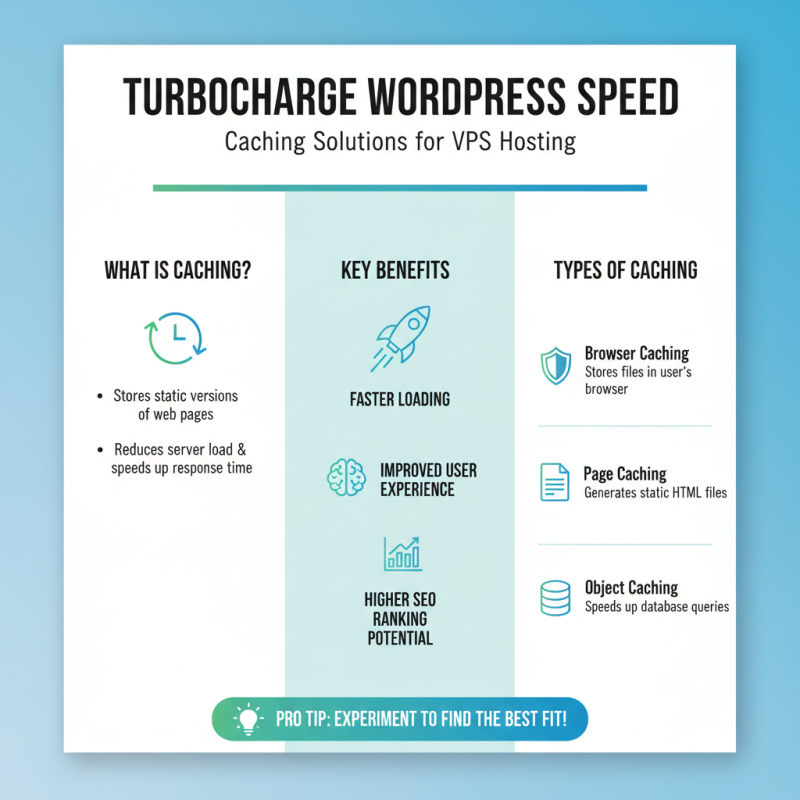
Caching solutions play a crucial role in enhancing WordPress speed on VPS hosting. They store static versions of web pages, reducing the server load. This means your site will respond faster to visitors. Not all caching methods are the same. Each has strengths and weaknesses. Finding the right one requires some experimentation.
Implementing page caching is effective for most sites. This method saves the HTML output of pages, serving it quickly. Database caching is another option. It stores query results, cutting down on time-consuming database calls. However, improperly configured caching can lead to outdated content being served. Regularly clearing your cache can help prevent this issue.
Consider object caching if your site has complex queries. It boosts performance significantly. Yet, it may not always yield immediate results. Monitoring your site's performance after adjustments is essential. What works for one site may not be effective for another. Testing various caching strategies allows you to discover what best enhances your WordPress site’s speed and efficiency.
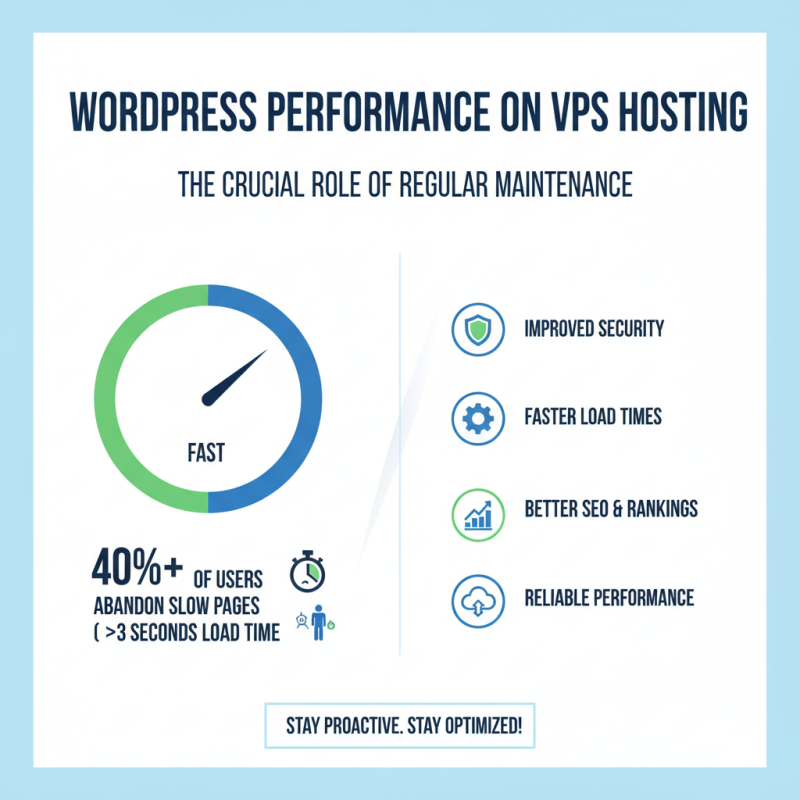
Regular maintenance is crucial for sustaining WordPress performance on VPS hosting. Over 40% of website users abandon a page that takes more than three seconds to load, according to a study by Google. This highlights the importance of staying proactive in website management.
One effective tip is to routinely update all themes and plugins. Outdated software can slow your site and expose it to security risks. Neglecting these updates can lead to performance issues that are hard to reverse. Optimize your database regularly. A cluttered database can drag down your site's speed. Aim to clean it up every few months.
Another vital aspect is monitoring server performance. Track metrics such as load times and resource usage. If you notice consistent slowdowns, investigate the underlying causes. Consider using caching solutions to reduce server strain. Cache plugins can significantly speed up page delivery. Lastly, don't forget to back up your data frequently. A backup not only secures your site but also allows for quick restoration if issues arise. Regular maintenance is an ongoing journey, not a one-time task.